
RAM
FCA US LLCLifestyle
4.73.08K Reviews
- Version
- 1.99.704
- Installs
- 500.00K
- Age Rating
- Everyone
Screenshots
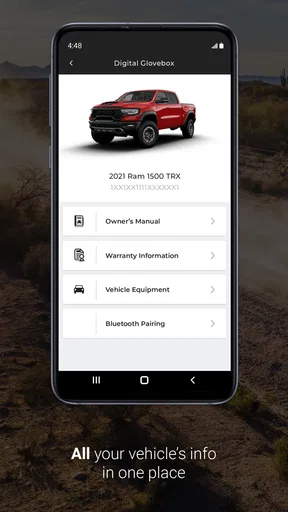
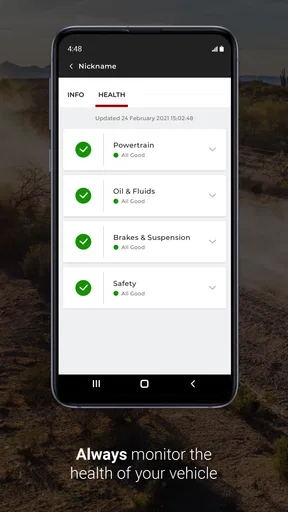
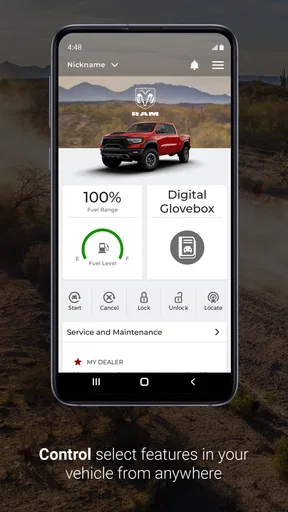
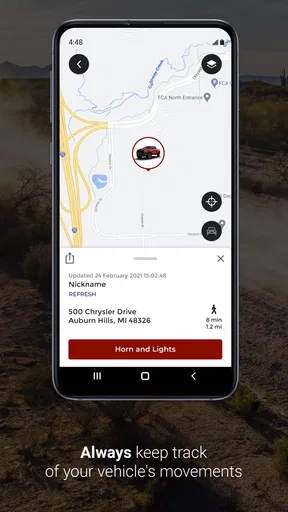
Our Review of RAM
 Analysis by Appyee
When a vehicle is shared by several people in the household, small details can become surprisingly difficult to coordinate. One person may need the owner information, another may be checking something before a trip, and someone else may simply want a more direct connection to the vehicle brand. RAM is built for that ownership-focused situation rather than for general lifestyle browsing. I reviewed it as a practical companion for RAM owners, and my first impression is that it makes the most sense when the app is treated as a central place for vehicle-related information instead of as a replacement for every automotive tool.
The app comes from FCA US LLC and sits in the lifestyle category. It is free, carries an Everyone age rating, and is available for devices running Android 9 or later. That broad compatibility matters in a household because the newest phone does not have to be the only device used for it. At the same time, I would not mistake the age rating for a promise that every household member will find it equally useful. The real audience is the person who owns, drives, or regularly manages a RAM vehicle.
How RAM fits into a shared household
A realistic example is a family with one RAM pickup used for commuting during the week, errands on Saturday, and a longer drive on Sunday. The primary owner might keep the app on a personal phone, while another household member occasionally needs to look up the same vehicle information. In that arrangement, the app can reduce the need to pass around a glove-box manual or search the web for brand-specific guidance.
I found the strongest value in that kind of repeat use. The app is not trying to be a full traffic navigator, a fuel-price comparison service, or a generic maintenance tracker. Its purpose is narrower: keep the RAM ownership experience closer at hand. That focus is helpful because a vehicle-specific app can be easier to consult than a broad automotive application filled with tools that do not relate to the truck or vehicle you actually drive.
There is also a useful distinction between a shared vehicle and a shared account. A household may have several drivers, but that does not automatically mean everyone should use the same login or make changes in the same place. I would decide in advance who is responsible for the main account, who only needs reference information, and who should contact the owner before taking action. Clear household boundaries matter more than simply installing the app on every phone.
For a single owner, the benefit is more straightforward. You can keep the app available when you are away from the vehicle and use it as a brand-specific reference point. For a household, the value depends on communication. If everyone expects the app to show the same personal context on every device, disappointment is possible. If it is treated as an owner resource that supports conversations between drivers, it becomes easier to use sensibly.
What the first setup feels like
My approach to setup would be deliberately careful. I would begin on the owner’s phone, make sure the correct RAM vehicle context is selected, and avoid handing the device to another driver until the primary account has been organized. That sequence prevents a common household problem: several people trying to establish ownership at once and then being unsure which account should remain the reference point.
The app’s current version is 1.99.704, so keeping it updated is sensible, particularly when different people use different phones. I would also check the operating system before promising that it will work on an older household device. Android 9 is the minimum, which is reasonable for many phones but still rules out some aging handsets that may be used as secondary devices.
One practical tip is to complete the initial setup while the vehicle owner is present, not during a rushed trip. The owner can confirm the vehicle details, decide which phone should be the main device, and explain to other drivers what the app is intended to handle. This is a small step, but it avoids turning a simple reference tool into a source of uncertainty later.
I would also keep the app separate from informal household notes. If someone writes down service reminders, trip plans, or fuel observations elsewhere, those notes should not be assumed to appear inside RAM. The app is best used for what it actually presents, while a shared calendar or household note can handle responsibilities that belong to the family rather than to the vehicle brand.
Keeping coordination simple between drivers
The most useful household habit is to agree on one person who checks the app when a question comes up. That does not have to be the person who drives the most. It could be the registered owner, the person who manages vehicle paperwork, or the driver who is most comfortable with mobile apps. Having a clear point of reference keeps two people from interpreting different screens or instructions at the same time.
For example, before a weekend trip, one driver can review the relevant vehicle information and then tell the others what they need to know. Another driver can keep the app installed for personal reference without becoming the person responsible for account decisions. This division is especially useful when a teenager or occasional driver uses the RAM but does not manage ownership matters.
I would not use the app as a substitute for a direct conversation about who may drive the vehicle, who handles service appointments, or who pays for fuel. Those are household agreements. The app may support the owner’s understanding of the vehicle, but it cannot replace the family’s own rules. That limitation is not a flaw unique to this product; it is simply the boundary between a vehicle app and a household management system.
Another worthwhile habit is checking information before leaving rather than while parked at a destination. If a driver needs to find something important, doing it at home gives the household time to resolve confusion. It also avoids the temptation to explore the app while driving. I appreciate apps like this more when they encourage preparation instead of becoming another screen to operate on the road.
Age, trust, and appropriate access
The Everyone rating makes RAM suitable from an age-classification perspective, but that does not mean every child needs access to the owner’s phone or account. In a shared home, trust should be handled separately from the store rating. A young passenger may be perfectly capable of reading vehicle information, while the owner may still prefer to keep account access private.
I would explain the difference to younger drivers: the app can be a source of information, but it does not give them authority over the vehicle. That distinction is useful for families where several people borrow the same RAM. The app can help a responsible driver become more familiar with the vehicle, yet the owner should still decide who can make arrangements or speak on the household’s behalf.
For older relatives, the main question is simplicity. If someone is comfortable with Android and only needs occasional vehicle information, installing the app may be convenient. If that person struggles with account screens or rarely uses the vehicle, a short explanation from the primary owner might be better than expecting independent use. In my view, shared access should be based on confidence and need, not on the assumption that every driver must have the application.
Privacy is another reason to keep account boundaries clear. I would avoid leaving the primary phone unlocked for anyone who wants to browse, and I would not share login details casually. Even in a trusting family, separate devices and clear responsibilities reduce accidental changes and make it obvious who should be contacted when something needs attention.
Where it beats ordinary alternatives
The usual alternative is a web search, a printed manual, or a general automotive app. Those options can work, especially for a one-time question, but they put more responsibility on the user to identify the correct vehicle information. RAM has a stronger sense of place for someone who wants a brand-specific ownership starting point.
A printed manual remains useful when the phone is unavailable, the battery is low, or a driver prefers paper. A web search can be faster for broad questions, local services, or information unrelated to the vehicle manufacturer. A general automotive app may be more useful for drivers who want fuel tracking, mileage logs, expense records, or maintenance planning across several brands. I would choose those alternatives when the task is broader than RAM ownership.
The trade-off is focus. RAM is more relevant when the question concerns the RAM relationship, but less attractive as an all-purpose driving dashboard. If your household owns vehicles from multiple manufacturers, a universal automotive tool may create a more consistent shared routine. If everyone drives RAM and wants a focused brand connection, the dedicated app is easier to justify.
One non-obvious advantage of a dedicated app is conversational clarity. When a household member says, “Check the RAM app,” that instruction is more precise than asking someone to search the internet and decide which result applies. That can save time during ordinary planning, provided everyone understands that the app is a reference point and not a complete record of every household task.
Everyday strengths and points of friction
The app’s strongest practical quality is its narrow purpose. I do not have to begin with a random automotive search or sort through unrelated brands. For an owner, that focus can make routine questions feel less scattered. It is also free, which removes an obvious barrier for households deciding whether to try it on a second device.
Its public reception is encouraging: RAM holds a 4.7 average from around 20K ratings, with more than 3K written reviews and over 500K installs. Those figures suggest that the app has found a substantial audience, although popularity alone does not guarantee that every RAM owner will have the same experience. I would still judge it by whether it fits your vehicle, phone, and household routine.
The friction comes from expectations. Someone looking for a complete family driving system may find the app too limited because vehicle ownership is only one part of daily coordination. It will not, by itself, settle who is using the truck tonight, remind every family member about a shared appointment, or replace a general navigation and planning setup. The more ambitious your household workflow, the more likely you are to need companion tools.
Another limitation is that a shared-device arrangement can become awkward if people do not agree on account ownership. I would avoid repeatedly signing in and out on one phone just to accommodate different drivers. A primary owner’s device, plus clear verbal coordination, is usually less confusing than treating one handset as a communal control panel.
Before recommending it to a friend, I would ask three questions. Do you own or regularly use a RAM vehicle? Do you want a focused brand app rather than a universal automotive tool? And is there one person who can manage the main account responsibly? If the answer to all three is yes, the installation is easy to justify. If the answer is no, a web search, printed documentation, or a broader vehicle-management app may serve you better.
My household verdict
After reviewing RAM, I see it as a useful ownership companion for a clearly defined audience. It is not a family organizer and should not be presented as one. Its value comes from giving RAM owners a focused place to begin, especially when a vehicle is shared and several drivers need consistent information.
For a household, I would install it first on the primary owner’s compatible Android phone, establish the account carefully, and then decide whether other drivers genuinely need their own access. I would explain what the app is for, keep driving permissions and family rules outside the app, and use a shared calendar or conversation for responsibilities that are not vehicle-specific.
My recommendation is simple: choose RAM when focused RAM ownership support is your priority, not when you want a universal household driving hub. The free price, Everyone rating, broad Android compatibility from version 9 onward, and strong user response make it approachable. Its narrower scope is both its main strength and its main limitation. Used with realistic expectations and clear account boundaries, it can make shared ownership more orderly without pretending to manage the entire household.
Verdict
Strengths of RAM
- Shows detailed RAM usage by apps and system processes.
- Helps identify apps consuming excessive memory in the background.
- Useful for monitoring performance during gaming or multitasking.
- Presents memory information in a simple, easy-to-read format.
- Can help users decide which unnecessary apps to close or uninstall.
Limitations of RAM
- RAM readings may vary depending on the device and Android version.
- Closing apps manually may reduce battery life instead of improving it.
- Some system memory remains reserved and cannot be freed by the app.
- Background monitoring may require extra battery or system resources.
- Advanced features may be limited without additional permissions or upgrades.
Other Releases by FCA US LLC
View All
Jeep®
Lifestyle4.7
Similar Picks in This Category
View All
SmartThings
Samsung Electronics Co., Ltd.4.6

Google Home
Google LLC4.0

Pinterest4.2

Astrotalk - Talk to Astrologer
Astrology & Horoscope4.7

My Verizon
Verizon Consumer Group4.5

Samsung Wallet (Samsung Pay)
Samsung Electronics Co., Ltd.4.1
Frequently Asked Questions
What is RAM, and what does it do on a phone?
RAM, or Random Access Memory, is the temporary workspace your phone uses to keep apps and processes ready for quick access. When you open a game, switch between apps, or stream video, RAM helps the device handle those tasks smoothly. It is different from storage because its contents are cleared when the phone is restarted or powered off.
How much RAM does an Android or iPhone need?
The ideal amount depends on how you use your device. Basic messaging, browsing, and social media can work well with a modest amount of RAM, while gaming, photo editing, and multitasking benefit from more. iPhones often perform efficiently with less RAM because Apple controls both the hardware and software, so comparing numbers directly with Android phones can be misleading.
Does having more RAM make a phone faster?
More RAM can improve multitasking by allowing more apps to remain available in the background, reducing reloads when you return to them. However, it does not automatically make every phone faster. Processor performance, software optimization, storage speed, display resolution, and battery condition also affect responsiveness. Extra RAM is most useful when your normal usage regularly exceeds the device’s available memory.
Can I increase or upgrade my phone’s RAM?
In most smartphones, the physical RAM cannot be upgraded because it is soldered directly to the mainboard. Some Android devices offer a virtual RAM or memory extension feature that temporarily uses internal storage as additional memory. This may help with certain background tasks, but it is slower than real RAM and does not provide the same improvement as buying a phone with more physical memory.
How can I check RAM usage and free memory on my phone?
On many Android phones, RAM information is available in Settings, often under Battery and device care, Device maintenance, or Developer options. The exact menu depends on the manufacturer and Android version. iOS does not normally display detailed RAM usage in its standard settings, although performance tools and some third-party utilities can provide limited information. Closing every background app is not always necessary, since modern systems manage memory automatically.
